


Even areas that appear blown out in JPEG can often be recovered from RAW data, allowing smoother highlight gradation.
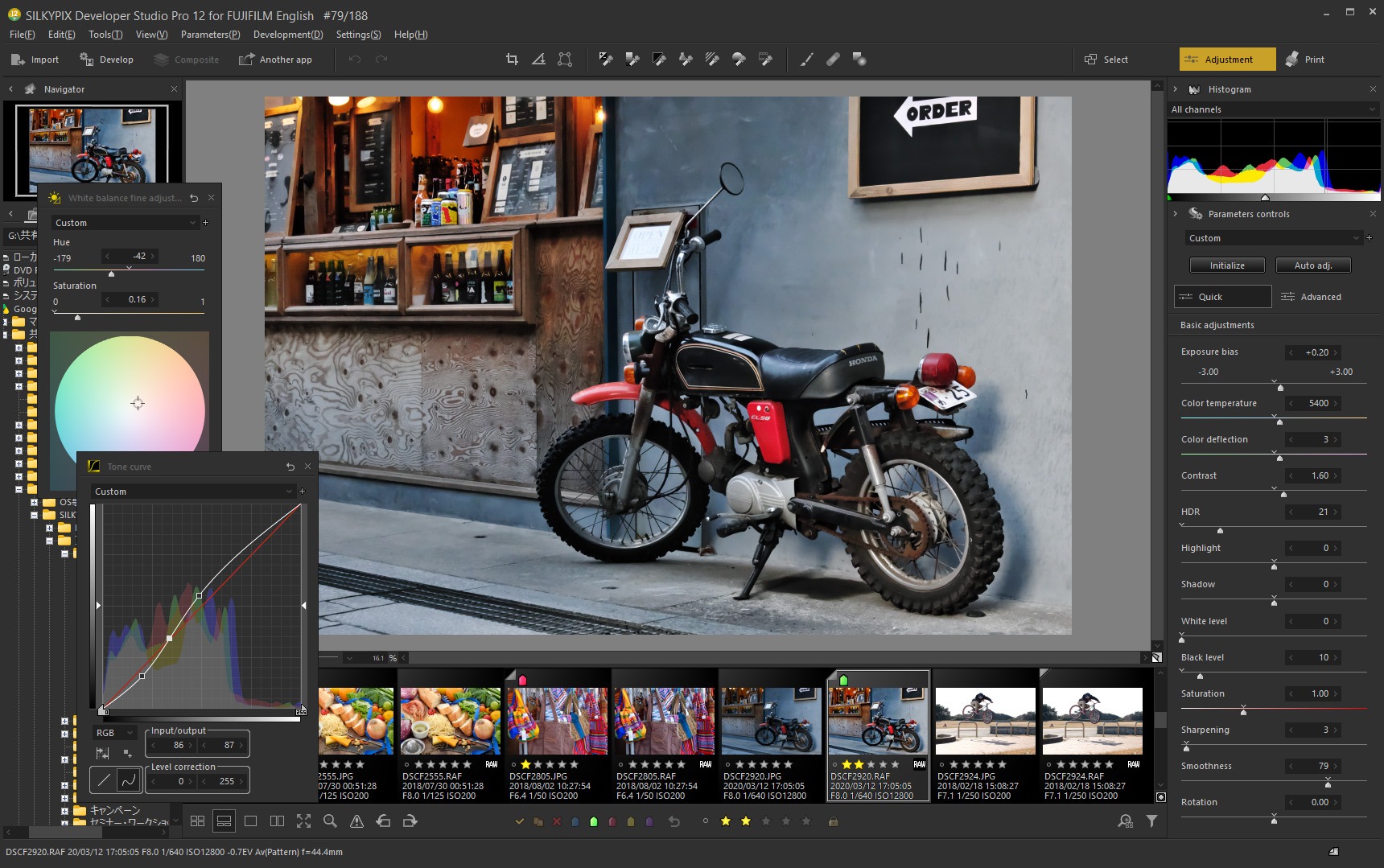

Precise editing refines each capture into a one-of-a-kind expression.
Photo editing software for FUJIFILM cameras,
designed for image quality and ease of use
30-day free trial After installation, select “Begin trial” at first launch. All features are available during the trial.
Create a wide range of images with SILKYPIX
Even small adjustments can bring a photo closer to the image you had in mind. Use the light and color information preserved in RAW data to create natural-looking results.
Even areas that appear blown out in JPEG can often be recovered from RAW data, allowing smoother highlight gradation.


Adjust only selected colors to render the blue of the sky more richly and vividly.


Adjust only the selected color range to reduce dullness and express fresh greens vividly.


RAW data can preserve gradation even in areas that look blocked up. SILKYPIX can draw color and texture from that shadow information.
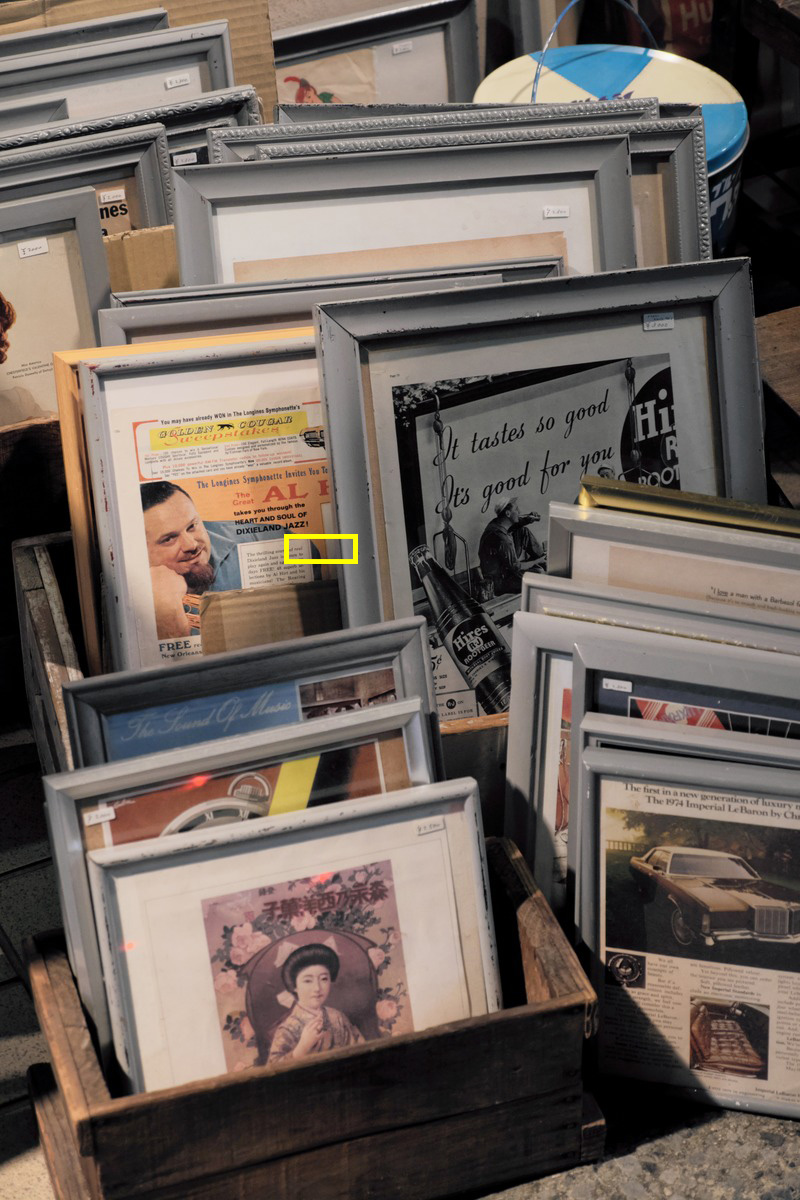


SILKYPIX’s proprietary algorithm reduces noise from high ISO shooting while minimizing the softened look often caused by noise reduction.
Benefits of RAW development
When shooting JPEG, the camera processes RAW data internally and saves it as a finished image. When shooting RAW, you can record rich image data before that in-camera processing. With SILKYPIX, you can adjust the development process after shooting to match your own image.
With SILKYPIX RAW development, you can also choose FUJIFILM Film Simulation after shooting, something JPEG files cannot normally do afterward.
Many expressions from a single RAW file
RAW data preserves a rich amount of shooting information, giving you more flexibility when adjusting exposure and white balance. From the same photo, you can create different expressions with varying brightness and color.



Start RAW shooting with FUJIFILM
Press the MENU button and select an image quality mode that records RAW. Menu displays may vary depending on the camera model.
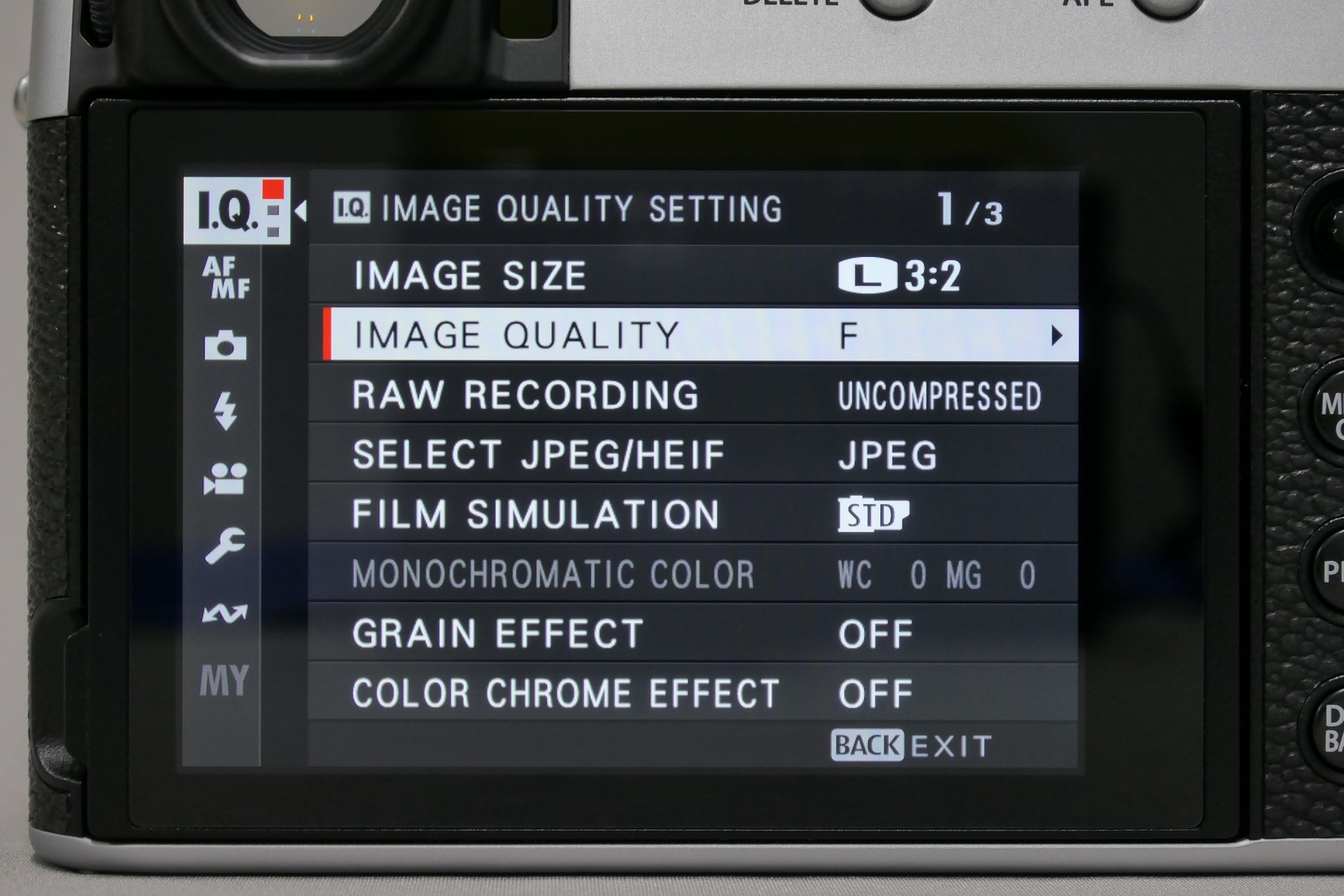
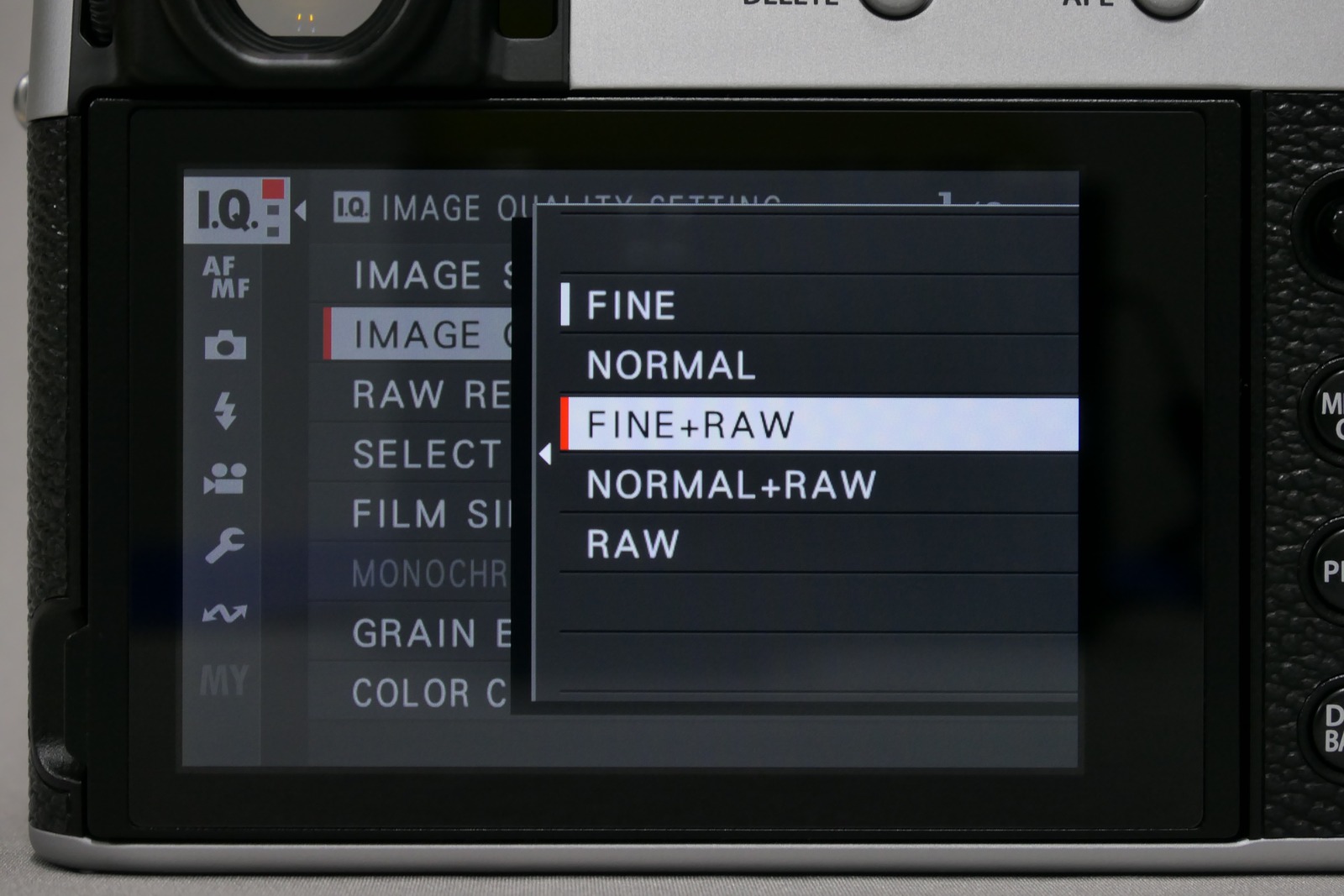
After pressing the MENU button, open “IMAGE QUALITY SETTING” and then “IMAGE QUALITY,” then select “FINE+RAW.”
Why photographers choose SILKYPIX
The SILKYPIX development engine is developed in-house in Japan. It uses the light and color information preserved in photos to create natural, balanced results.
SILKYPIX has been developed for many years as RAW development software. Its accumulated image-processing technology supports expressive photo editing after shooting.
The SILKYPIX series has a track record of being provided as official RAW development software for camera manufacturers. It offers a reliable editing environment based on long-developed technology and experience.
SILKYPIX uses proprietary color design trusted by camera manufacturers. It reproduces the subject’s original colors accurately for faithful, natural image adjustments.
With the proprietary “SILKYPIX RAW Bridge,” JPEG files are internally expanded to 16-bit during editing, enabling high-quality adjustments while helping prevent gradation breakdown.
Although it includes advanced editing functions, the interface is clearly organized. You can check function names and adjustment details while editing smoothly for your purpose.
Because SILKYPIX browses folders stored on your computer directly, you can display the images you want quickly and move intuitively from selection to adjustment and management without creating a catalog.
Purchase once and continue using the software without monthly payments.
Videos and web content are available to help you learn SILKYPIX, from basic operation to practical photo editing techniques. They can also be useful while trying the software or after purchase.
Value for FUJIFILM cameras
SILKYPIX can reproduce the FUJIFILM Film Simulation set in the camera. You can keep the familiar color as a starting point, then use the rich information in RAW data to fine-tune each photo.



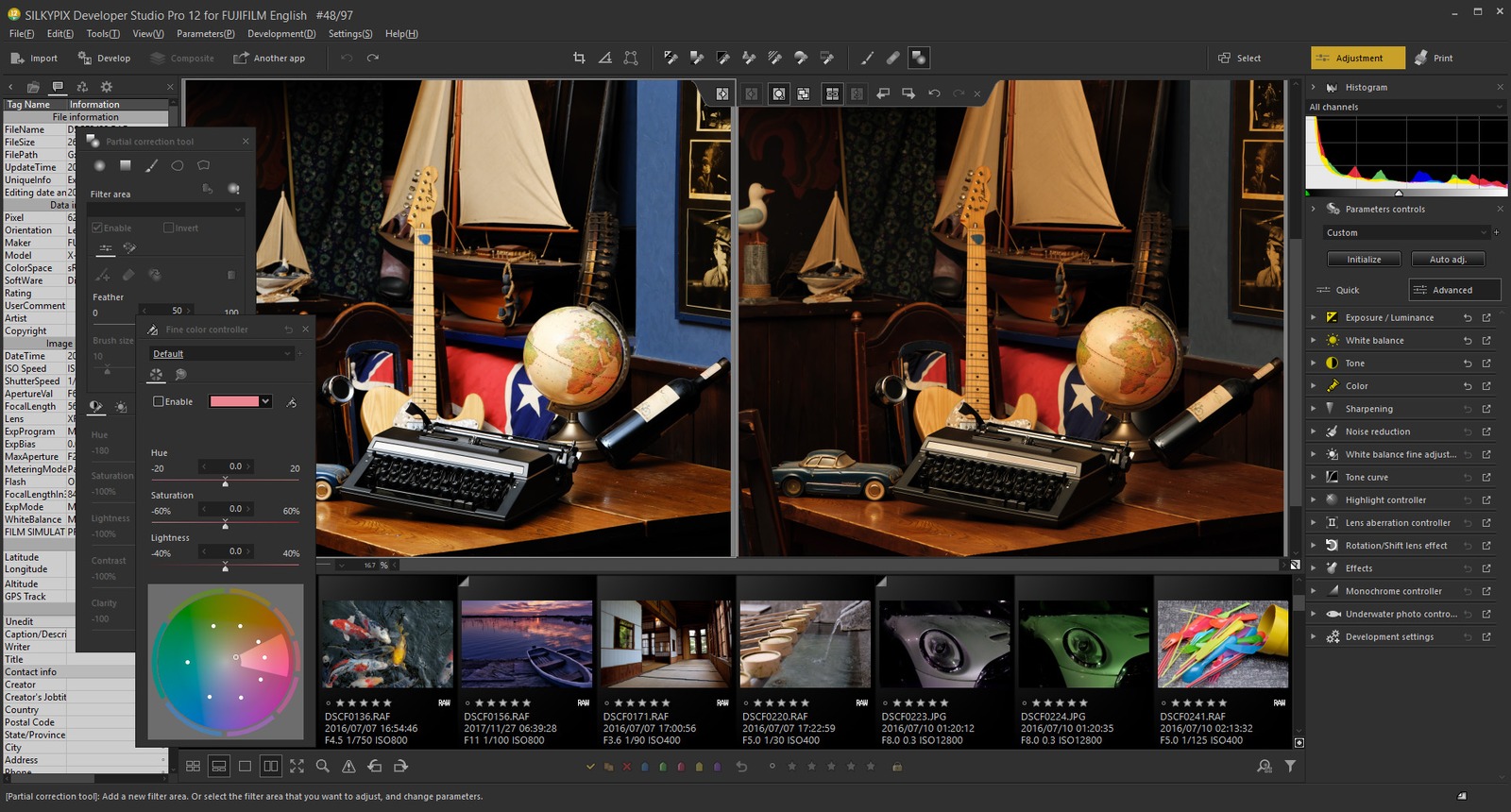
Based on “RAW FILE CONVERTER EX 3.0 powered by SILKYPIX,” the free RAW development software for FUJIFILM cameras, this version keeps a familiar adjustment feel while adding access to more advanced functions.
Professional editing tools
Includes partial correction for adjusting only targeted areas and a retouch brush for naturally removing unwanted objects.


Adjust only the targeted area intuitively, rather than the entire photo.


Naturally remove unwanted objects and improve the finish of the photo.
Select a category to view the main functions included in SILKYPIX.
※ The listed functions are examples only.
This is the list of supported FUJIFILM camera models.
*1 Although the WB value setting of the camera is acquired, AWB is treated as sunlight.
*2 "FILM SIMULATION" is supported and an available film simulation can be selected.
*3 HEIF (HIF) format is not supported.
*4 "Clear view" of the demosaicing engine is not supported.
Here are answers to common questions before purchase or trial. Click a question to view the answer.
Yes. After installation, select “Begin trial” at first launch to try the software free for 30 days. All features are available during the trial.
No. They use the same installer. Select “Begin trial” at first launch to start the free trial, or enter your purchased product key to use the full version without an expiration date. You can also enter a product key during the trial to switch to the full version.
This product supports RAW files shot with supported FUJIFILM cameras, as well as JPEG files recorded at the same time. TIFF, DNG, and HEIF files are not supported. JPEG files that have once been edited with third-party software may not be readable.
Yes. JPEG files recorded at the same time as RAW files by supported FUJIFILM cameras can also be edited. With the proprietary “SILKYPIX RAW Bridge,” JPEG files are internally expanded to 16-bit during editing, helping preserve smooth gradations and high image quality.
SILKYPIX Developer Studio Pro12 for FUJIFILM can be used on one computer per license. If you want to use it on two or more computers, please purchase additional licenses or consider SILKYPIX Developer Studio Pro12, which can be used on up to three computers with one license.
No. SILKYPIX Developer Studio Pro12 for FUJIFILM is available for Windows only.
No. You can purchase it once and use it without a monthly fee.
Yes. Images adjusted with RAW FILE CONVERTER EX 3.0 powered by SILKYPIX will open with those adjustment results applied. However, adjustments made with this product cannot be carried back to RAW FILE CONVERTER EX 3.0 powered by SILKYPIX.
Yes. You can access videos and online articles that introduce how to use SILKYPIX and share tips for photo adjustment. From basic operation to practical ways to use the software, you can check the information you need whenever you need it.
This software is for computers. If you are viewing this page on a smartphone, please open this page from your computer to download.