
If a warning appears while downloading or running the installer
Microsoft Edge or Windows may display a warning when you download or run the installer.
If a warning appears, please follow the steps below to continue.
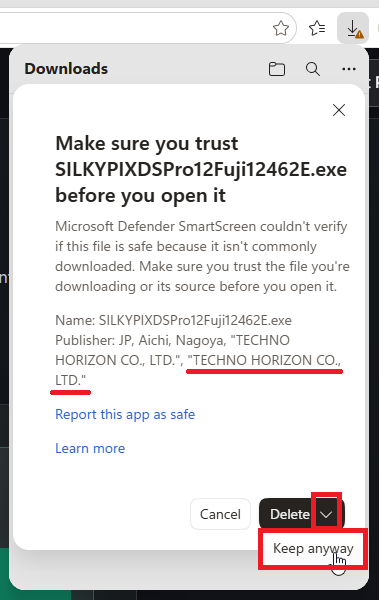
*Before keeping or running the file, make sure that TECHNO HORIZON CO., LTD. is shown as the publisher.
If a warning appears in Microsoft Edge
-
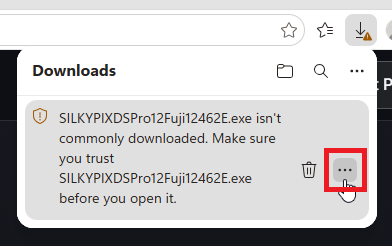
Click the “...” button on the right side of the file.
-
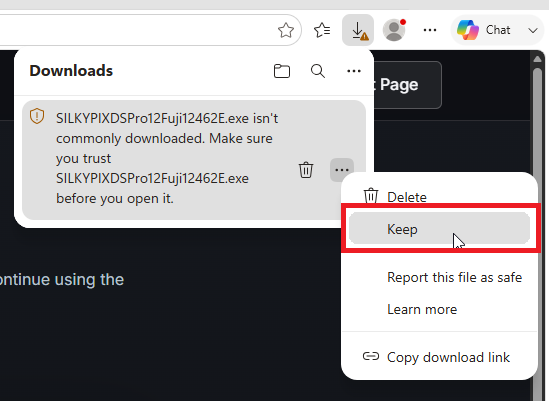
Click “Keep.”
-
On the details screen, make sure that TECHNO HORIZON CO., LTD. is shown as the publisher. Then click the arrow next to “Delete” and click “Keep anyway.”
-
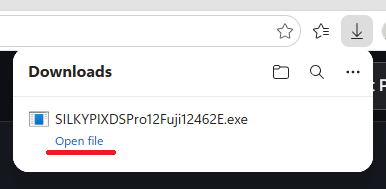
When “Open file” appears, proceed with the installation.
If a warning appears when running the installer
-
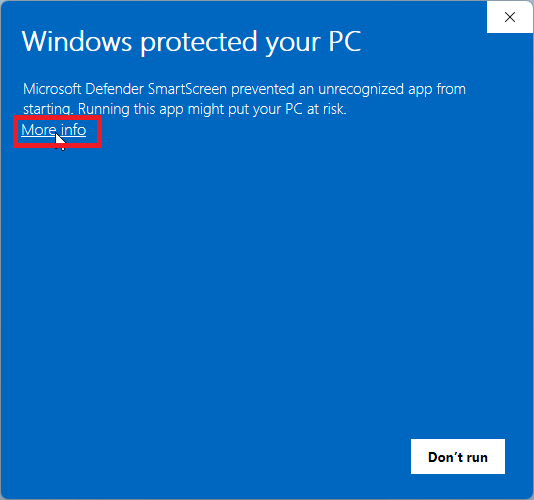
Click “More info.”
-
Make sure TECHNO HORIZON CO., LTD. is shown as the publisher, then click “Run anyway.”
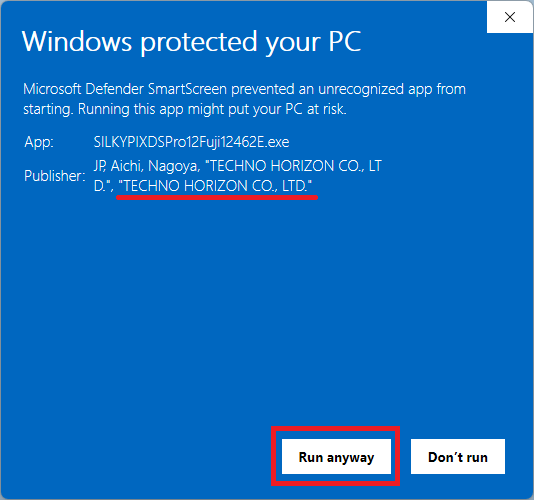
If the publisher is different or cannot be confirmed, do not open the file and check the download source.